ColdSend v1.5 is live.
This release adds inbox health monitoring, AI-powered reply tagging, an analytics dashboard, and Ramp Up for controlled sending. Check it out on your dashboard or read the breakdown below.
This release is the result of months of work on stability, infrastructure, and the features you've been asking for since v1.0. We spent most of that time listening — in Discord, on calls, and through support — and building what actually matters. Here's what's new.
TL;DR: Inbox health monitoring with historical scores, AI that auto-tags incoming replies, a proper analytics dashboard, and Ramp Up to gradually increase send volume based on inbox health.
Inbox Health Monitoring
Cold email infrastructure depends on knowing whether your inboxes are actually performing. Before v1.5, most users relied on indirect signals to guess inbox health.
ColdSend now auto-calculates and stores a historical health score for every inbox. The score is based on deliverability trends, engagement patterns, reply rates, bounces, and spam folder placement.
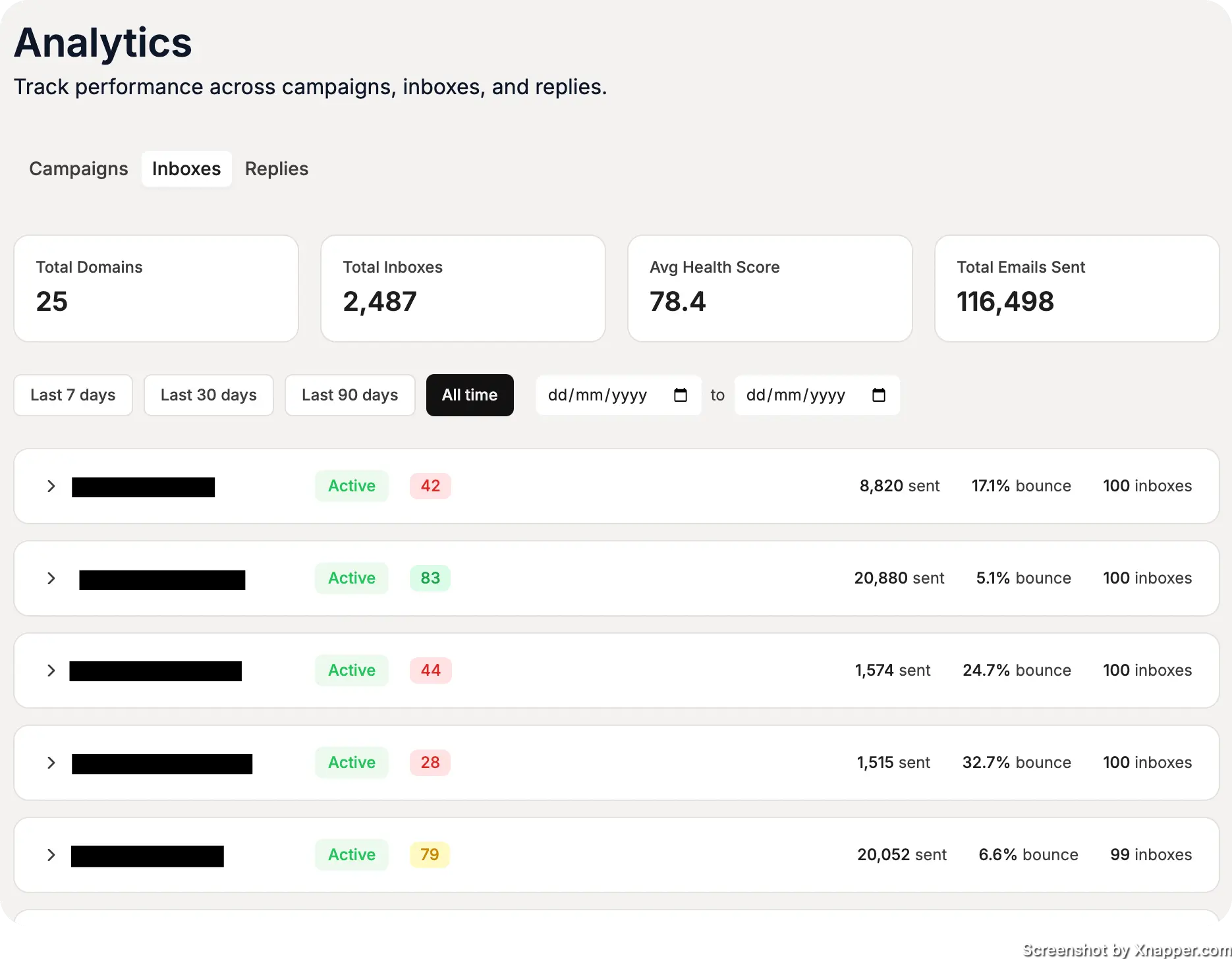
Inbox Health Monitoring shows a clear score for every inbox with historical trends.
You can now see which inboxes need attention before they become a problem.
AI Tagging of Incoming Replies
The Unibox consolidates replies across all inboxes, but high-volume users were spending significant time manually categorizing responses — sorting by intent, sentiment, and next steps.
ColdSend now auto-tags incoming replies using AI. The system reads each reply, classifies the intent and sentiment, and applies a tag automatically.
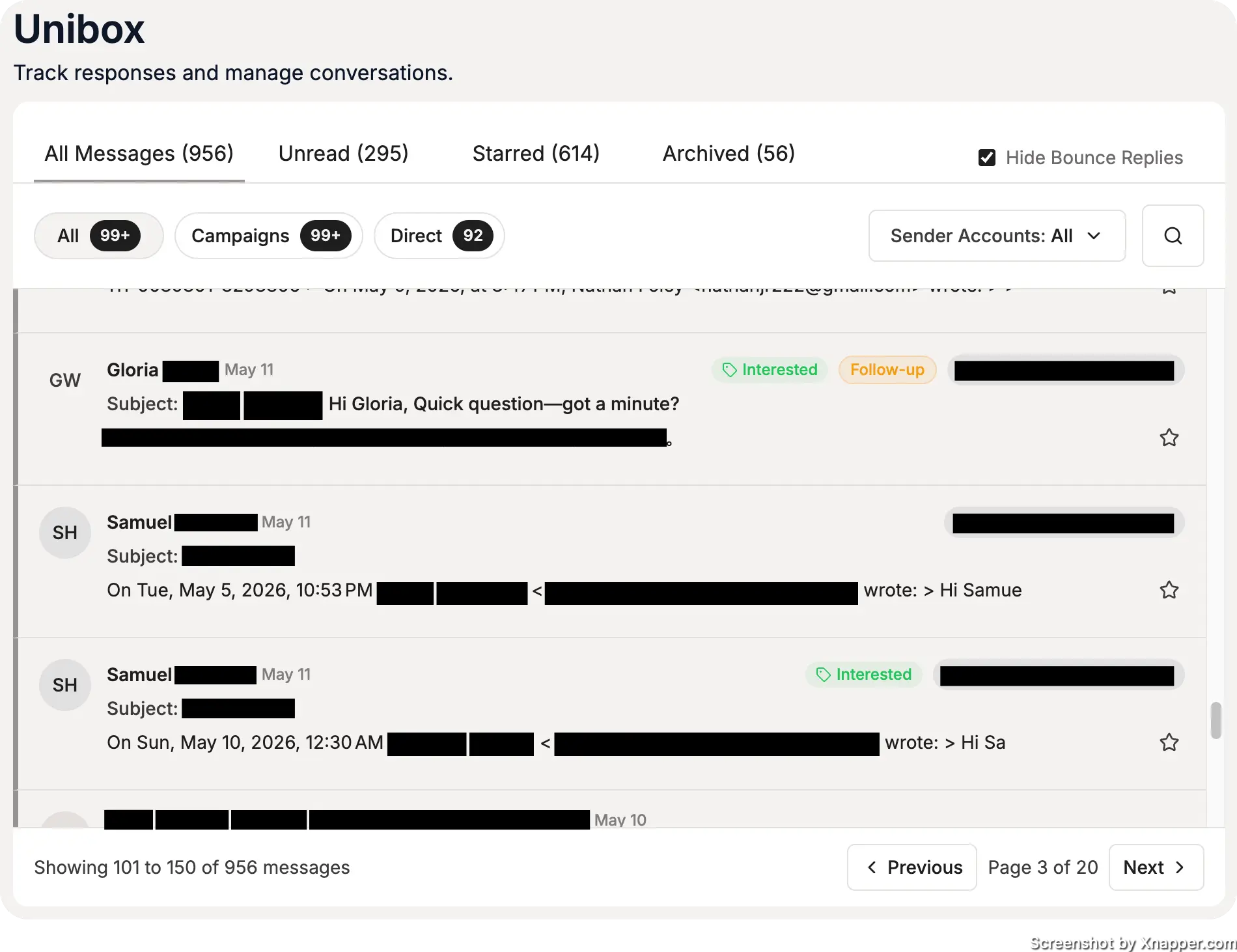
Auto-tagged replies in the Unibox: Interested, Not Interested, Out of Office, Meeting Booked.
Tags are filterable and can be used to build automations. The classification model improves over time as it learns your specific reply patterns.
Analytics Dashboard
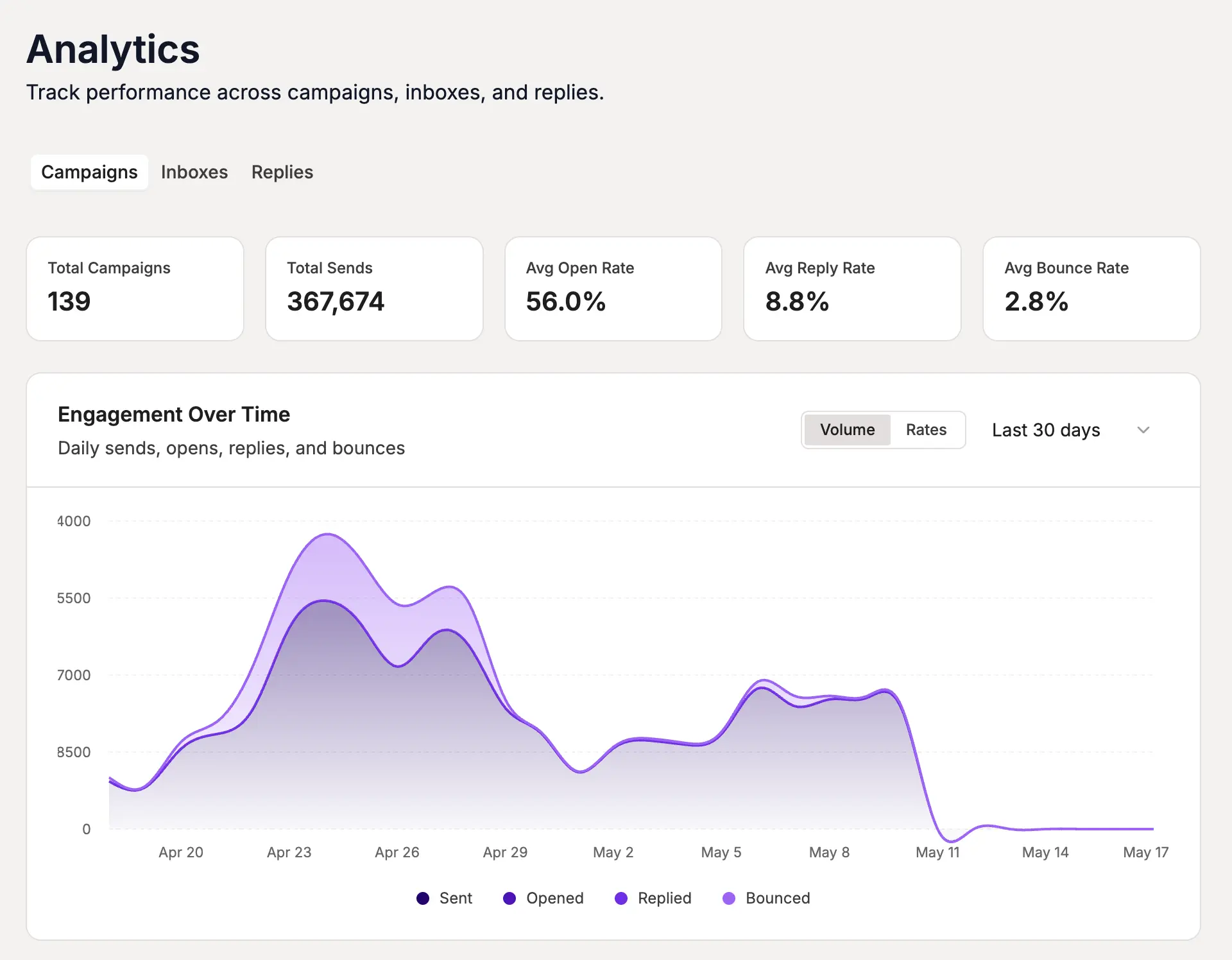
The v1.0 analytics were limited to basic send and delivery counts. v1.5 ships a full analytics screen covering:
- Inboxes — health trends, send volume, deliverability over time
- Campaigns — open rates, reply rates, bounce rates, and conversion funnels
- Incoming Replies Distribution — how replies break down by sentiment, tag, and intent
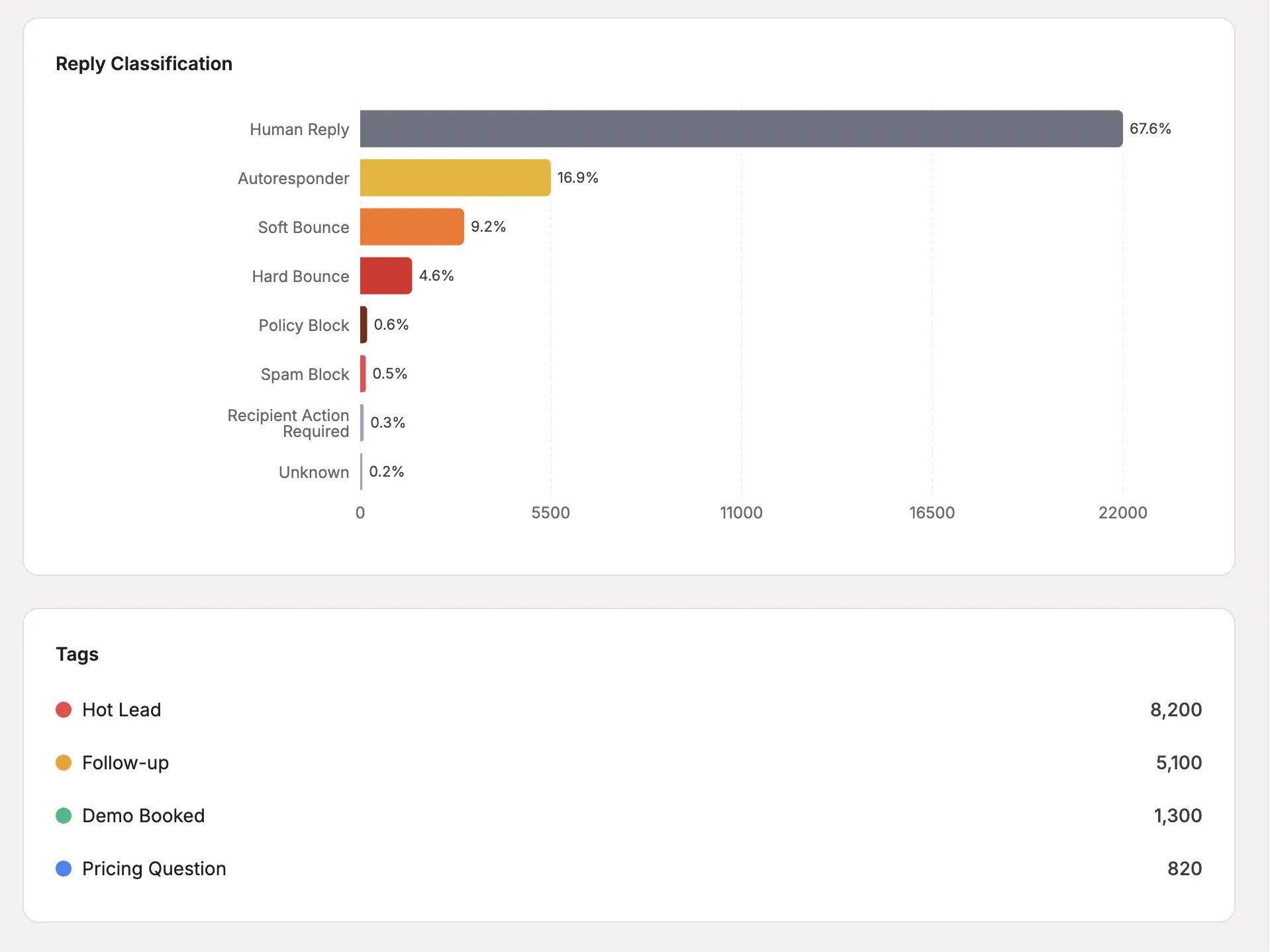
Analytics dashboard: inbox performance, campaign metrics, and reply distribution.
The dashboard is designed to give a full picture of performance without requiring manual exports or third-party tools.
Ramp Up: Controlled Sending
Sending 500 emails on day one from a new inbox damages deliverability. Most providers address this by selling "warmup" services that send fake emails for weeks. ColdSend takes a different approach.
Ramp Up is a campaign-level feature that automatically starts with a low daily send volume and increases it based on inbox health signals.
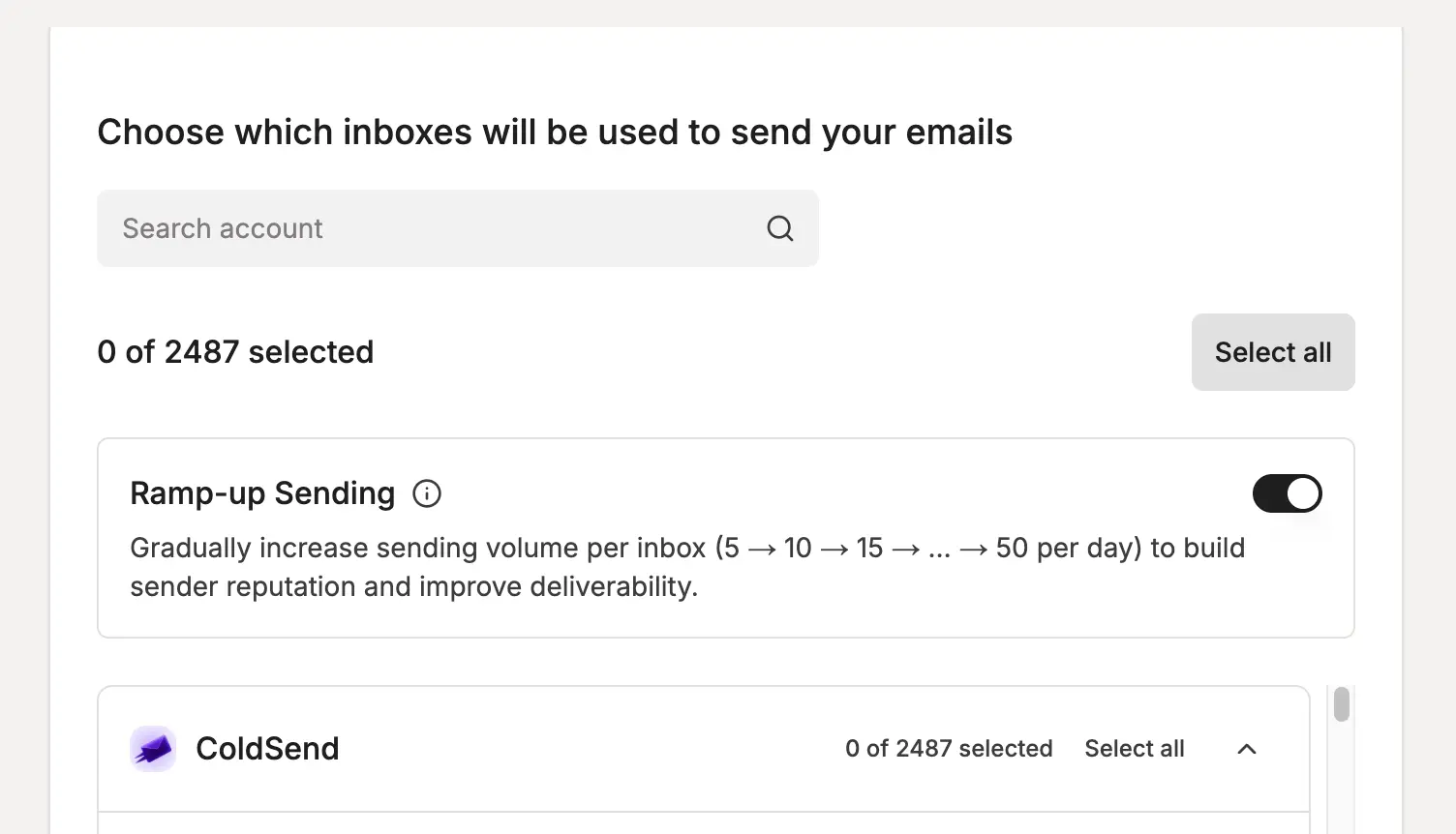
Ramp Up gradually increases daily send volume based on real inbox health data.
It never sends faster than your infrastructure can handle. The volume scales as your inboxes prove they can take it — no fake warmup required.
Improvements & Optimizations
Beyond the headline features:
- Unibox Speed Optimization — faster loading and reply handling on accounts with thousands of conversations
- Sequencer Optimizations — improved scheduling logic, better handling of large campaigns, and reduced latency between sends
- UI Improvements — cleaner layouts and more consistent design patterns across the dashboard
Bug Fixes & Stability
v1.5 fixes several issues from the v1.0 rewrite:
- Campaign list view counts — corrected inaccurate send and reply counts
- Scheduler edge cases — fixed delays and duplicate sends caused by specific scheduling configurations
- Domain setup reliability — improved stability for BYOA (Bring Your Own Azure) users
- General stability — platform-wide fixes for crashes and timeouts
What's Next
Planned for the next few months:
- Improvements to ColdSend API — REST API for reply management, inbox operations, and analytics
- Leads Database — Yes. wink
- Deeper integrations — CRM connections, webhook support, and Zapier
Thank You
To everyone who reported bugs, suggested features, and gave feedback — thank you. You are the reason v1.5 exists.
Join us on Discord for the latest updates and feature requests.
Start sending with ColdSend v1.5
Published on May 17, 2026

 Jul 19, 2026
 6 min read